
Last Updated: May 8, 2026
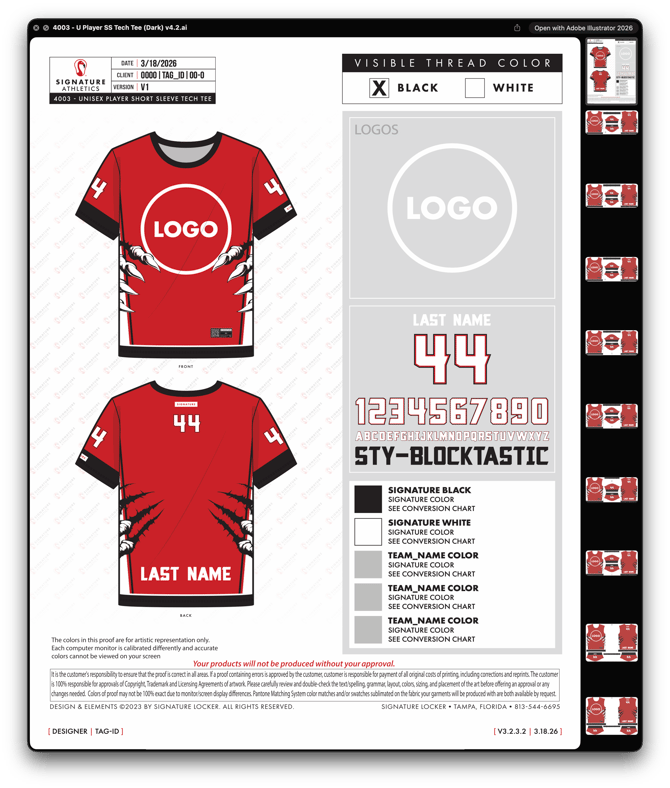 |
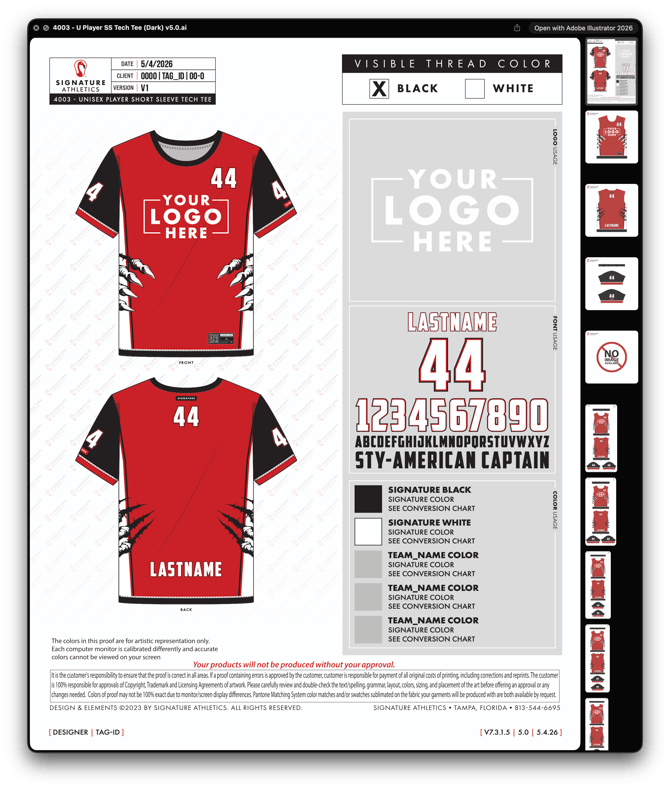 |
| BEFORE |
AFTER |
Purpose
This training covers the most detailed and time‑intensive stage of the Master building process. Through these Loom lessons, you will learn, step by step, how to:
-
Set up master artboards correctly for production.
-
Migrate panels from older masters into the new structure.
-
Build organized, production‑ready layer systems that are easy to maintain.
-
Prepare a clean final handoff file that downstream teams can use with confidence.
As you move through the lessons, you will see practical examples of each step applied to the specific master type.
Master Type
0000 - Style_Name_Tops_JERSEYS (Dark)
Total Training Time
Approximately 18 hours 20 minutes (21 videos)
Phase 1: Artboard Setup & Panel Migration
- [v0.1] Setting Up the Master Artboards for Panel Migration
- [v0.2] Migrating & Rebuilding Master Template Panels
- [v0.3] Migrating Panels from Old Master to New Master Symbols
- [v0.4] Replacing Sew & Cut Symbols with Base Symbol
- [v0.5] Aligning Panels, Resizing Artboards & Saving Final Layout
Phase 2: Base Colors & Overlays Layers
- [v0.6] Applying the Overlay Layers
- [v0.7] Applying the Base Color Layers
- [v0.8] Applying the Base Color Sleeves Layers
- [v0.9] Applying Gradient Halftones Layers
Phase 3: Key Graphics & Pattern Layers
- [v0.10] Applying Sleeves Stripes Layers
- [v0.11] Applying Cuffs Layers
- [v0.12] Applying Cuffs Stripes Layers
- [v0.13] Applying Side Panels Layers
- [v0.14] Applying Collar Layers
- [v0.15] Applying Collar Stripe Layers
Phase 4: Finishing Layers
- [v0.16] Applying Bottom Binding Layers
- [v0.17] Applying Player Info Layers
- [v0.18] Applying Care Instructions Layers
- [v0.19] Applying Branding Layers
- [v0.20] Applying Locker Tags Layers